You know what needs doing. You may care about doing it. And still, starting can feel harder than the task itself.
That gap between intention and action is familiar to many people. It can be especially noticeable when a task is vague, involves too many steps, or has to compete with a demanding day. On a production, you might be managing call sheets, messages, changing priorities and a creative brief, while trying to remember the one admin task you meant to do between jobs.
This is one reason neurodivergent-friendly productivity tools matter. They can make tasks easier to see, start and return to, without expecting everyone to use the same system.
What does “activation cost” mean?
Activation cost is a useful way to describe the effort involved in getting started. It is not a diagnosis or a formal clinical measure.
The effort may come from working out what a task means, deciding where to begin, finding the right file, remembering the steps, or choosing between several competing priorities. “Prepare for the meeting” may sound like one task, but it can contain a string of smaller actions: find the notes, check the schedule, gather questions and decide what to raise.
When all those steps are hidden inside one vague instruction, the task can feel heavier than it is.
A well-designed tool can lower that starting effort. It cannot do the work for you, and it will not make every day straightforward. But it can reduce unnecessary friction between “I need to do this” and “I’ve begun”.
Why is everyone talking about it?
Not literally everyone. But the conversation about productivity is broadening. People are asking not only how to fit more into a day, but whether the tools they use make work clearer and more accessible.
That matters in creative industries, where plans change, deadlines move and attention is pulled in several directions. A standard to-do list may work brilliantly for one person and become another source of pressure for someone else. A system that assumes you will remember every deadline, interpret shorthand and keep a long list in order may not suit the way you work.
Neurodivergent-friendly design starts from a different question: what would make this task easier for this person to manage?
That question can benefit more people than those who identify as neurodivergent. Clearer instructions, fewer steps, visible priorities and flexible ways to organise work can make everyday tasks more manageable for a wide range of users.
What good support can look like
The aim is not to make you fit a perfect system. It is to find tools and routines that work with your attention, energy and capacity.
A few practical design choices can make a meaningful difference:
- Reduce the steps. Turn “update the project” into one clear action, such as “open the schedule and add Friday’s location”.
- Remove avoidable decisions. Provide a sensible starting point or a reusable template, rather than asking you to decide how to organise every task from scratch.
- Externalise memory. Keep reminders, notes, deadlines and next steps somewhere dependable, instead of relying on remembering them all.
- Use visual cues. A clear heading, colour, progress marker or highlighted next action can make important information easier to spot.
- Make capture low-friction. Let yourself save a thought or task quickly, then organise it later. If capturing an idea takes several screens and decisions, you may lose it before it is recorded.
- Make it easy to return. When the day is interrupted, a visible “next step” or saved point of progress can help you pick the task back up.
These are not shortcuts or signs of poor discipline. They are ways of moving some of the organising effort out of your head and into the environment around you.
Research on reminder use has also explored how external cues can support remembering future intentions. A 2025 study in Memory & Cognition examined how reminder-setting related to delayed intentions and working-memory demands. It is one piece of research, not proof that a particular app will work for everyone. The practical point is modest: a reminder can be a useful support for remembering, rather than a test of willpower.
Make the next action visible
A useful productivity system should not only store tasks. It should help you see what to do next.
Try this simple sequence:
01, Capture the task. Write it down in a place you can find again.
02, Make it concrete. Replace “sort invoices” with “open the invoice folder and identify the two outstanding payments”.
03: Choose one next step. You do not need to solve the whole project before starting.
04: Leave yourself a return point. If you stop, note what you were doing and what comes next.
This approach can be useful during a busy production week, when tasks are regularly interrupted or handed over. It can also help with the less visible work around a creative career: invoicing, portfolio updates, networking and planning what you want from your next role.
Accessibility should be adjustable
There is no single font, colour or layout that works for everyone. A useful tool gives you options and lets you choose what helps.
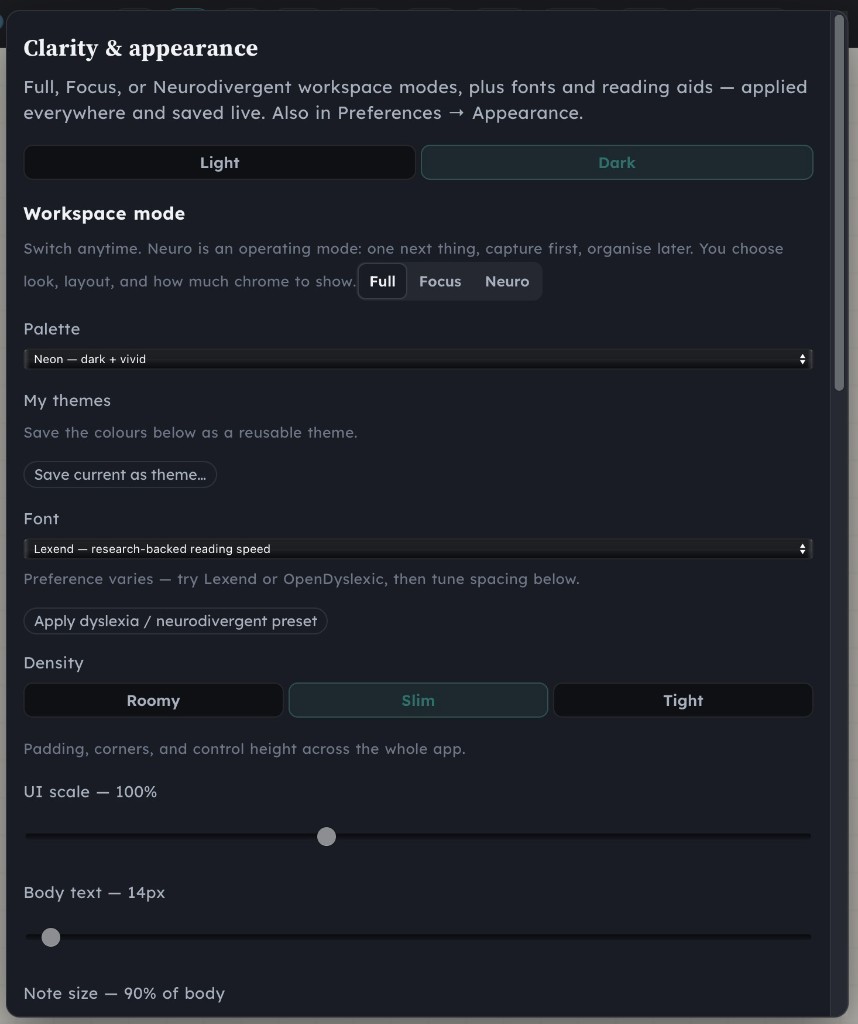
Rushmind builds neurodivergent-friendly design into its work. Workflow, a Mac app for organising production work, includes Full, Focus and Neuro clarity modes. Neuro mode is designed to show one next thing, with choices about the layout and how much of the interface is visible.
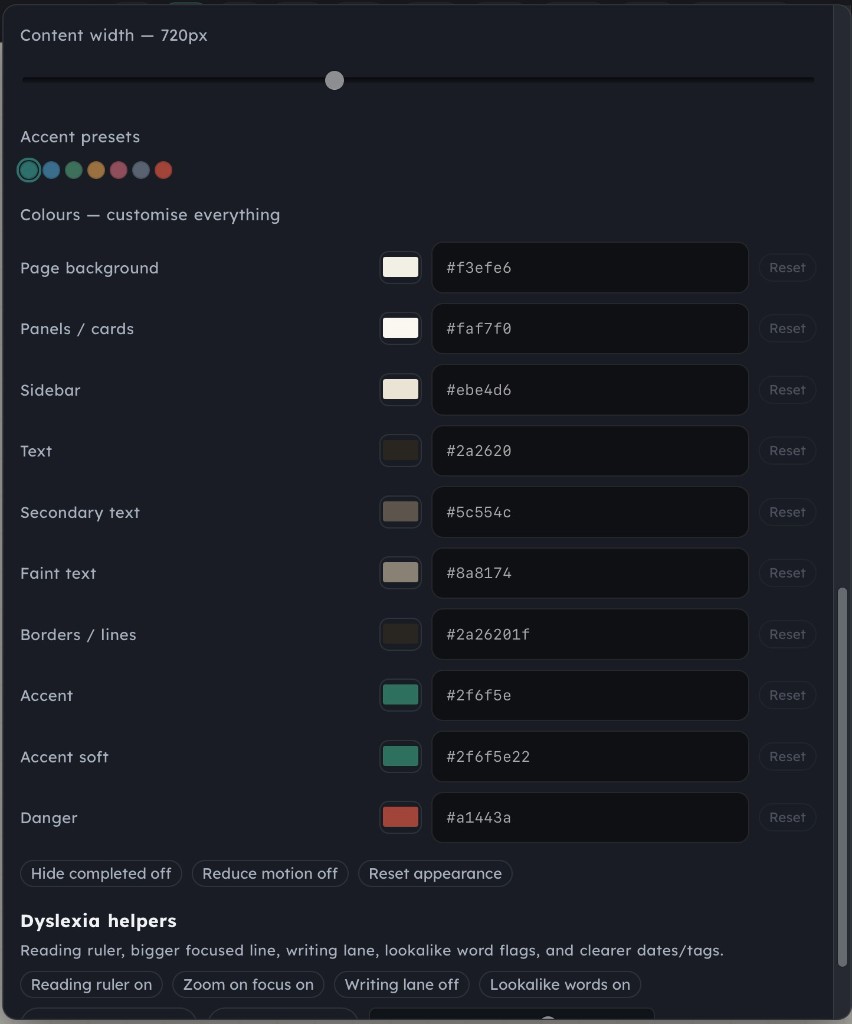
The app also includes dyslexia helpers such as a reading ruler and lookalike-word flags, alongside font options including Lexend, Andika and OpenDyslexic. These features are not a treatment or a guarantee that reading will be easy. They are practical adjustments you can try and tailor to your preferences.
Workflow is currently available as a Mac app. Its product page explains what is available now. Cloud access is described as coming soon, so it should not be treated as a current feature.
A tool is support, not a cure
Productivity tools can help organise work. They cannot remove every source of pressure, resolve an unhealthy working culture or guarantee protection from burnout in the creative industry.
If your workload is unreasonable, a new app will not make it reasonable. If you are dealing with mental health concerns, a planning tool is not a substitute for appropriate professional support. And if one system does not suit you, that does not mean you have failed.
No. The goal is not perfect productivity. The goal is to make important work clearer and more manageable, while making room for rest, relationships and the rest of your life.
That bigger picture matters in stress management for creatives. Sustainable work involves more than getting through a list. It includes noticing what is taking your energy, setting realistic priorities and deciding what needs to change. Sometimes that means adjusting your system. Sometimes it means asking for support or having a direct conversation about expectations.
Start with what would make work easier
You do not need to overhaul your whole routine today. Pick one task that you keep postponing and ask:
- Is the task too vague?
- Are there too many steps to hold in mind?
- Do I need a reminder, a template or a clearer first action?
- Is there a simpler way to capture and return to this?
Test one change. Keep it if it helps. Change it if it does not.
Rushmind’s work brings together mental health, career and relationships coaching for people in TV, film and the creative industries. James understands the pressures of production from more than 18 years of industry experience and from his own experience of dyslexia. Creative career coaching is not about forcing you into a perfect routine. It is a space to look at the whole picture and work out what might help you move forward.
If you want to explore that, book a free starter session with Rushmind. You decide what you want to discuss. No pressure, just a practical first conversation about what would make work and life feel more manageable.